
What Is Cloud Storage? Pros, Cons, and Best Providers Explained
Picture this: It’s a rainy Tuesday, and you’re running to catch a bus. In your haste, your phone which contains five years of photos, important work documents, and that novel you’ve been writing slips out of your pocket. It lands face down in a puddle. Or worse, you spill coffee all over your laptop, and the screen goes black. We’ve all felt that pit in our stomach, right? That instant panic where you realize your digital life might be gone forever.
If you haven’t backed up your data, that panic is justified. But if you use cloud storage, that disaster is nothing more than a minor inconvenience. You just buy a new device, log in, and poof everything is right there, exactly where you left it.
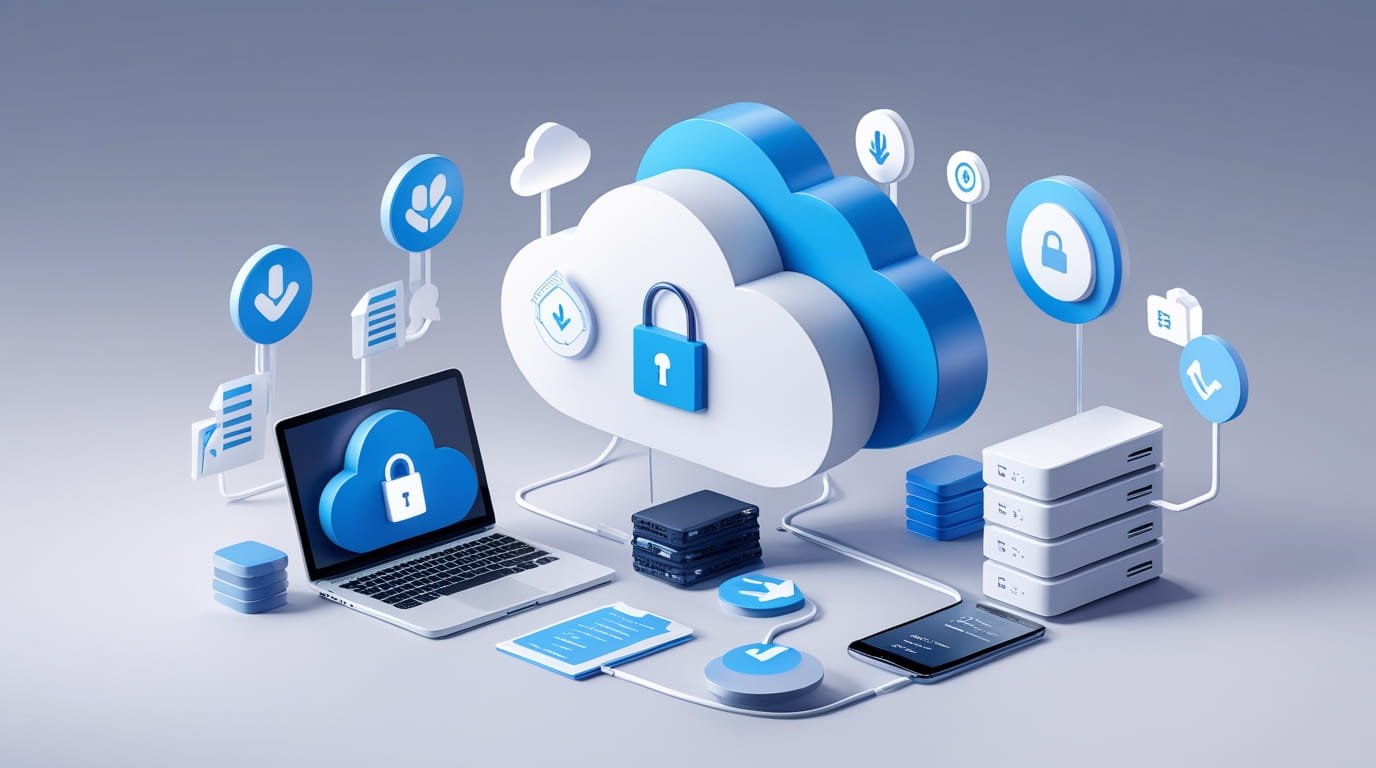
But what exactly is "the cloud"? It sounds like some magical, invisible vapor floating above us, but the reality is much more grounded (and industrial). When we talk about cloud storage, we aren't talking about the sky. We are talking about massive, air-conditioned warehouses filled with rows and rows of humming computer servers. When you upload a photo to the cloud, you are essentially renting a tiny slice of one of those hard drives. It’s like renting a digital storage unit. You put your stuff in, lock the door, and the company promises to keep the building secure, fireproof, and accessible to you whenever you need it.
The Shift From Physical to Digital
Remember the days of burning CDs or carrying around USB thumb drives on your keychain? I used to have a drawer full of external hard drives, labeled with masking tape like "Photos 2015-2017." While physical storage is great because you physically hold it in your hand, it has one major flaw: it breaks. Hard drives fail. Thumb drives get lost in the washing machine. CDs scratch.
Cloud storage fundamentally changes the game by removing the "single point of failure." When you save a file to a reputable cloud provider, they don't just save it once. They usually copy your data across multiple servers in different locations. So, if a server in Texas catches fire, your data is safe and sound on a backup server in Virginia. You don't have to worry about the hardware anymore; that is the provider's problem, not yours. This shift has liberated us from being tethered to one specific computer. Now, your "computer" is wherever you log in.
Why You Should Care: The Major Benefits
So, why are millions of people paying a monthly fee to store their data on someone else's computer? It really comes down to three things: convenience, collaboration, and peace of mind. Let’s talk about convenience first. The ability to start writing a document on your laptop at home, edit it on your phone while waiting for the dentist, and then finish it on a tablet in a café is revolutionary. You never have to email a file to yourself again.
Then there is collaboration. If you have ever tried to work on a project with a team using email attachments, you know the nightmare of "Final_Draft_v3_REAL_FINAL.doc." With cloud storage, everyone works on the same file in real-time. It’s cleaner, faster, and saves so many headaches. And of course, there’s the backup aspect we mentioned earlier. Knowing that your family memories are safe from house fires, theft, or hardware failure is worth the price of admission alone.
The Downsides: It’s Not All Sunshine
However, I would be lying if I said cloud storage was perfect. It has its flaws, and for some people, these are deal-breakers. The biggest elephant in the room is privacy. When you put your files on Google Drive, Dropbox, or OneDrive, you are trusting a mega-corporation with your private life. While they have strict security measures, you are still handing over the keys to your digital kingdom.
Here is a quick breakdown of the trade-offs you need to consider before signing up:
- Internet Dependency: This is the big one. If your internet goes down, you lose access to your files. If you are in a remote cabin with no signal, your cloud data might as well be on the moon.
- Security Risks: While providers are secure, they are also massive targets for hackers. Plus, if you have a weak password, someone can steal your entire digital life from the comfort of their sofa.
- Ongoing Costs: Buying a hard drive is a one-time cost. Cloud storage is a subscription. You might pay $10 a month forever. Over ten years, that adds up to $1,200 much more than a physical drive costs.
- Privacy Policies: Some companies scan your data to serve you ads or train their AI. You have to read the fine print to know who is looking at your stuff.
- Speed Bottlenecks: Uploading 500GB of video files to the cloud takes a long time unless you have fiber-optic internet. A USB cable is still faster for moving massive amounts of data.
The Big Players: Google Drive and The Ecosystem
Okay, so you’ve decided the pros outweigh the cons. Now, which service do you pick? It feels like there are a million options. Let’s start with the one you probably already have: Google Drive. If you have a Gmail address, you have Google Drive. They give you 15GB of free space right out of the gate, which is generous compared to others.
Google Drive is the king of collaboration. Its integration with Google Docs, Sheets, and Slides is seamless. It’s perfect for students, writers, and small teams who need to work together. The interface is clean, the search function (obviously) is powerful, and it plays nicely with Android phones. However, remember that Google is an advertising company first. While they state they don't use your Drive content for ad targeting, you are deeply embedded in their ecosystem. If you are trying to "de-Google" your life, this isn't the choice for you. But for 90% of people, it’s the easiest on-ramp to the cloud.
The Veteran: Dropbox
Before Google and Microsoft dominated the space, there was Dropbox. They practically invented the modern cloud storage model of "a magic folder on your desktop." When you drop a file in the Dropbox folder, it syncs. Simple as that.
Dropbox is fantastic because it is platform-agnostic. It doesn't care if you use a Mac, a PC, an Android, or an iPhone; it works perfectly on all of them. It’s not trying to sell you an office suite or an email service. It just does storage, and it does it really well. Their syncing technology is often faster than the competition, using a method called "block-level sync" (it only updates the parts of the file that changed, not the whole file). The downside? Their free tier is measly only 2GB. That is barely enough for a few photos. You pretty much have to pay if you want to use Dropbox seriously.
The Corporate Giant: Microsoft OneDrive
If you work in an office, you probably know OneDrive. It’s Microsoft’s answer to the cloud, and it is baked directly into Windows. If you use a PC, you almost can't avoid it. The biggest selling point for OneDrive is its value proposition. For about the same price as a Netflix subscription, you get 1TB of storage plus the entire Microsoft Office suite (Word, Excel, PowerPoint).
That is a killer deal. If you already pay for Office, you essentially get the cloud storage for free. It’s deeply integrated into Windows 10 and 11, making it feel like just another folder on your computer. However, the user experience can sometimes feel a bit "corporate" and clunky compared to the sleekness of Dropbox or Google. But for pure bang-for-your-buck, it is hard to beat.
The Privacy Advocates: pCloud and Icedrive
What if you don't trust the "Big Tech" giants? What if you want to ensure that nobody not even the company storing your data can see your files? This is where "Zero-Knowledge" encryption comes in. Services like pCloud and Icedrive are gaining popularity for this very reason.
In a standard cloud setup, the provider holds the encryption key. It’s like storing your stuff in a locker but giving the master key to the landlord. With Zero-Knowledge encryption (often a paid add-on), only you have the key. If the government or a hacker demands your data from the provider, the provider can honestly say, "We can send you the files, but they are just scrambled gibberish. We can't read them." pCloud is also unique because they offer "Lifetime" plans. You pay once say, $350 and you keep the storage forever. It’s a risky bet that the company will be around in 10 years, but if they are, you save a fortune in monthly fees.
How to Stay Safe in the Cloud
Choosing a provider is only step one. Step two is locking it down. I cannot stress this enough: your cloud storage is only as secure as your password. If your password is "Password123," it doesn't matter if you are using the most secure encrypted server in Switzerland; you are going to get hacked.
You must use a strong, unique password. Better yet, use a password manager to generate one. And please, for the love of all things digital, turn on Two-Factor Authentication (2FA). This means that even if someone guesses your password, they can't log in without a code sent to your phone. It is a tiny extra step that adds a massive layer of protection. Also, be careful about sharing links. If you share a folder with a "public link" so a friend can download a video, remember to turn that link off later. Otherwise, it’s a back door left open indefinitely.
The Final Verdict: Which One Is for You?
So, who wins? Well, it depends on who you are. If you are a student or someone who just wants things to work without fuss, go with Google Drive. The 15GB free tier is unbeatable, and the tools are excellent. If you are a professional who lives in Word and Excel, OneDrive is the logical choice; the value is just too good to ignore.
If you are a creative professional or freelancer who needs to share large files with clients and wants the fastest syncing speeds, Dropbox is still the gold standard, despite the cost. And if you are a privacy nut who wears a tinfoil hat (metaphorically speaking) or just values your digital rights, look into pCloud or Icedrive.
Ultimately, the best cloud storage is the one you actually use. Don't wait for the "perfect" time to back up your data. Start today. Even if you just throw your most important photos into a free Google account, do it now. Because the only thing worse than paying for cloud storage is wishing you had paid for it after your hard drive crashes.
Frequently Asked Questions (FAQ)
1. Is cloud storage safe from hackers?
Generally, yes. Major providers spend billions on security that is far superior to what you have on your home computer. However, no system is 100% hack-proof. The weakest link is usually the user. If you use a weak password or fall for a phishing email, your account can be compromised regardless of the provider's security.
2. Can I access my cloud files without the internet?
Yes, but you have to plan ahead. Most cloud services have an "Offline Access" feature. You can select specific files or folders to be downloaded to your device. You can work on them without Wi-Fi, and the next time you connect to the internet, the changes will sync back to the cloud automatically.
3. What is the difference between Cloud Storage and Cloud Backup?
Great question! Cloud Storage (like Dropbox) is designed for syncing files across devices and sharing them. If you delete a file on your computer, it deletes from the cloud too. Cloud Backup (like Backblaze) is a safety net. It mirrors your entire hard drive continuously. If you delete a file on your computer, the backup keeps a copy of it for recovery.
4. Will I lose my data if I stop paying?
You won't lose it immediately, but yes, eventually. If you cancel your subscription, the provider will usually give you a grace period (often 30 to 90 days) to download your data. After that, they will likely freeze your account or delete the data that exceeds the free limit. Always download your files before cancelling!
5. How much cloud storage do I really need?
For most casual users (documents and some photos), 100GB to 200GB is plenty. If you are a photographer, video editor, or someone who wants to back up their entire computer, you will likely need a 1TB or 2TB plan. Check how much space your "Documents" and "Pictures" folders take up on your computer now to get a baseline.