
Common Cybersecurity Mistakes Small Businesses Make (And How to Fix Them)
Imagine walking into your office on a Monday morning, coffee in hand, ready to tackle the week. You sit down, wiggle the mouse to wake up your computer, and… nothing happens. Well, not nothing. A red screen pops up with a countdown clock and a message demanding $50,000 in Bitcoin to unlock your files. Your customer list? Gone. Your invoices? Inaccessible. Your payroll data? Locked tight.
It sounds like a scene from a techno-thriller movie, doesn't it? But for thousands of small business owners every year, this isn't fiction; it’s a Tuesday. In 2026, the digital landscape has become increasingly hostile, and the predators aren't just looking for the massive whales like Amazon or JPMorgan; they are looking for the easy snacks. The small businesses. The mom-and-pop shops. The local accounting firms.
There is a pervasive myth that floats around small business circles: "I’m too small to be targeted. Who cares about my data?" This mindset is dangerous. Hackers don't necessarily care who you are; they care that your door is unlocked. Most attacks today aren't a guy in a hoodie specifically targeting you; they are automated bots scanning the internet for vulnerabilities, like a burglar walking down a street checking every door handle to see which one opens. If yours is the one that opens, they come in. The good news? locking that door isn't as hard (or as expensive) as you might think. You don't need a Pentagon-level budget to secure your business. You just need to stop making the same common mistakes that everyone else makes.
Mistake #1: Thinking Antivirus Is Enough
Remember the old days when you would install a free antivirus program, hear a little "ding" when it updated, and feel completely safe? Those days are long gone. Relying solely on basic antivirus software in 2026 is like trying to stop a tank with a wooden fence. It might catch the old, known viruses, but modern cybercriminals have evolved.
Today’s threats are sophisticated. They use "fileless" malware that lives in your computer's memory, or they use social engineering to trick you into handing over the keys voluntarily. Antivirus software looks for "signatures" of known bad files. But what happens when a hacker uses a brand-new strain of ransomware that the software hasn't seen before? It sails right past your defenses.
The Fix: You need to upgrade your thinking from "Antivirus" to "Endpoint Detection and Response" (EDR). I know, it sounds like fancy tech jargon, but think of it this way: Antivirus is a bouncer at the door checking IDs against a list of banned people. EDR is a security guard walking around the party, looking for suspicious behavior. If someone starts smashing windows (even if they had a valid ID), the EDR stops them. Many affordable security packages for small businesses now include this standard. It monitors behavior, not just files.
Mistake #2: The "Post-It Note" Password Policy
We have to talk about passwords. I know you hate them. I hate them too. But creating a password like "Company2026!" and sharing it with five different employees is a recipe for disaster. Even worse is the classic move of reusing the same password for your email, your bank, and your CRM software.
When a hacker breaches a low-security site (like that random forum you signed up for five years ago) and steals your password, the first thing they do is try that same email and password combination on Gmail, PayPal, and Amazon. It’s called "credential stuffing," and it works terrifyingly well. If your employees are sharing passwords, you also lose accountability. If a disgruntled ex-employee decides to delete files, and everyone logs in as "Admin," you have no way of proving who did it.
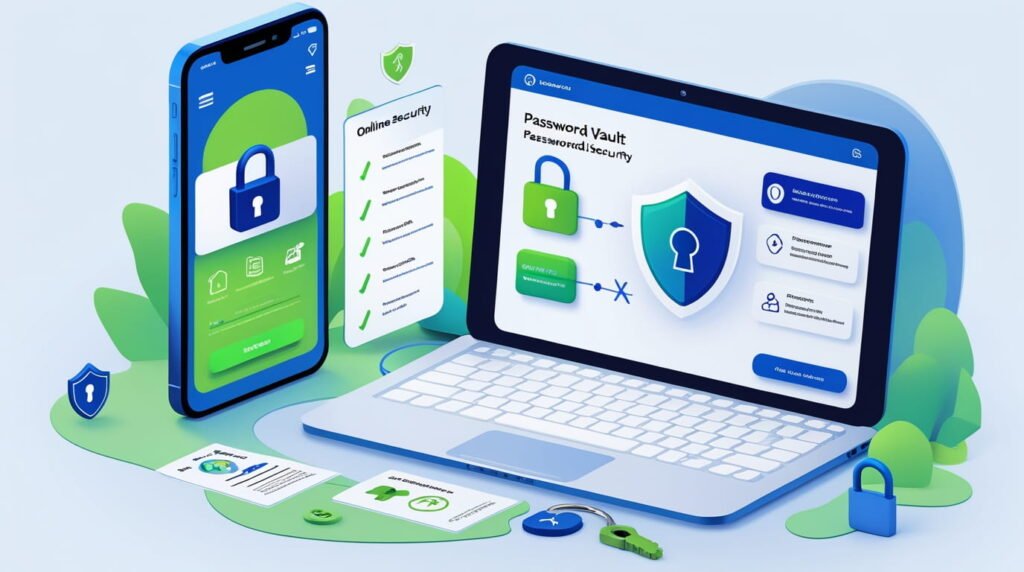
The Fix: Get a Password Manager. Immediately. Tools like 1Password, LastPass, or Bitwarden allow you to generate 20-character nonsense passwords (like Xj9#mP2$Lq) for every single account. You don't need to remember them; the software does. You only need to remember one "Master Password." This way, even if one site gets hacked, your other accounts remain secure. It removes the human urge to be lazy with security.
Mistake #3: Training the Machines, But Not the Humans
You can buy the most expensive firewall in the world, set up the most complex encryption, and lock your servers in a vault. But if your receptionist clicks on an email that says "URGENT: INVOICE OVERDUE" and types in their login details, all that expensive tech is useless.
The "Human Firewall" is often the weakest link in any business. Phishing emails have graduated from the obvious "Nigerian Prince" scams to incredibly realistic forgeries. In 2026, with the help of AI, scammers can write perfect emails that sound exactly like your boss, your bank, or your supplier. They can even clone voices for phone calls. If your team doesn't know how to spot these red flags, you are vulnerable. A study showed that small businesses are significantly more likely to fall for social engineering attacks simply because they prioritize speed and helpfulness over security protocols.
The Fix: Implement security awareness training. And no, I don't mean a boring PowerPoint presentation once a year that everyone sleeps through. I mean regular, simulated phishing tests. There are services that will send "fake" scam emails to your employees. If they click the link, they get a friendly pop-up teaching them what they missed (like a weird URL or a sense of false urgency). It turns security into a learning experience rather than a punishment.
Mistake #4: The "Set It and Forget It" Backup Strategy
Imagine your office catches fire. Or a flood hits. Or, more likely, ransomware locks every single file on your server. Your only lifeline is your backup. But when was the last time you actually checked if your backup works?
A common tragedy I see is business owners who think they are backing up their data, only to find out the drive has been full for six months, or the cloud sync failed silently weeks ago. Even worse is keeping the backup drive plugged into the main computer. If ransomware infects your computer, it will happily travel down that USB cable and infect your backup drive too. Now you are truly stuck. Ransomware is a business model; they want you to feel hopeless so you pay. If you have a clean, working backup, you have power. You can wipe the machines, restore the data, and ignore the ransom.
The Fix: Follow the "3-2-1 Rule." This is the gold standard for data survival.
- 3 Copies of your data: The original, plus two backups.
- 2 Different media types: For example, one on a local hard drive (for speed) and one in the cloud (for safety).
- 1 Copy offsite: This is crucial. If your office burns down, your local backup burns with it. The cloud counts as offsite.
Mistake #5: Ignoring Multi-Factor Authentication (MFA)
If there is one hill I am willing to die on, it is this one. If you can turn on Multi-Factor Authentication (MFA) and you choose not to because "it's annoying," you are practically inviting hackers in.
MFA is that extra step where you get a text code or use an app like Google Authenticator after you type your password. Yes, it takes an extra six seconds to log in. I get it; it’s a minor friction. But that minor friction blocks 99.9% of automated attacks. Even if a hacker steals your password, they can't get into your account because they don't have your physical phone. It is the single most effective security measure you can take, and it is usually free.
The Fix: Audit your services. Email (Google/Office 365), banking, accounting software, and social media accounts. Turn on MFA for all of them. Prioritize using an "Authenticator App" over SMS text messages if possible, as hackers can sometimes trick phone companies into swapping SIM cards (SIM Swapping) to steal text codes. An app on your phone is much harder to bypass.
Mistake #6: The "Update Later" Syndrome
We have all done it. The pop-up appears: "Software Update Available." You are in the middle of an email, so you click "Remind Me Tomorrow." Then tomorrow turns into next week, and next week turns into a month.
Software updates aren't just about adding new emojis or changing the font. Usually, developers release updates because they found a security hole a vulnerability in the code that hackers have discovered and are actively using. When you delay an update, you are leaving a window open in your house after the security company called to tell you the latch is broken. In 2026, automated bots scan the internet specifically looking for older versions of software. If you are running an unpatched version of Windows or an outdated plugin on your WordPress website, you are waving a giant flag that says "Easy Target Here."
The Fix: Enable automatic updates wherever possible. For Windows, macOS, and mobile devices, let them update while you sleep. For your website, have a maintenance schedule. If you use third-party software that is no longer supported by the developer (meaning no new updates are coming out), stop using it immediately. It’s a ticking time bomb.
Mistake #7: Bleeding Data on Public Wi-Fi
The modern office is everywhere. It’s a coffee shop, an airport lounge, or a hotel lobby. But that "Free Coffee Shop Wi-Fi" is a security nightmare. Public Wi-Fi networks are notoriously insecure. They are often unencrypted, meaning that anyone sitting a few tables away with a cheap piece of software can "sniff" the traffic flying through the air.
They can see the websites you are visiting, and in some cases, intercept the data you are sending. If your employee logs into the company bank account while sipping a latte on an open network, they might be handing over the credentials without knowing it. Furthermore, hackers often set up "Evil Twin" hotspots fake Wi-Fi networks named "Free Airport Wi-Fi" that look real but are actually controlled by the hacker to capture your data.
The Fix: Use a Virtual Private Network (VPN). A VPN creates a secure, encrypted tunnel between your laptop and the internet. It scrambles your data so that even if a hacker intercepts it, it just looks like gibberish. Mandate that all remote employees use a VPN whenever they are not on the secure office network. It is a small monthly cost for a massive layer of protection.
Conclusion: Start Small, But Start Now
Cybersecurity can feel overwhelming. It feels like an endless list of technical chores that distract you from actually running your business. But you don't have to fix everything overnight. The goal isn't to be Fort Knox; the goal is to be harder to hack than the business next door.
Hackers are opportunistic. They are looking for the unlocked doors. By implementing MFA, using a password manager, and training your staff, you are essentially locking the deadbolt and turning on the porch light. Most hackers will take one look and move on to an easier target. Don't wait for a disaster to force you to care about security. The cost of prevention is a fraction of the cost of recovery. Pick one thing from this list maybe turning on MFA or checking your backups and do it today. Your future self (and your bank account) will thank you.
Frequently Asked Questions (FAQ)
1. Is a Mac inherently safer than a PC for my business?
Not necessarily. While Macs historically had fewer viruses because they had a smaller market share, that has changed. In 2026, hackers target macOS frequently because high-value targets often use Apple products. While the architecture is secure, Macs are still vulnerable to phishing, weak passwords, and browser-based attacks. You need security tools regardless of the operating system.
2. How much should a small business budget for cybersecurity?
A general rule of thumb is to allocate between 10% to 15% of your total IT budget to security. However, for very small businesses, this might look like a few hundred dollars a month. Focus on the high-value basics: a good password manager ($5/user/month), a reputable endpoint security suite ($5-10/device/month), and a cloud backup solution.
3. My employees use their personal phones for work. Is that a problem?
Yes, it's called "BYOD" (Bring Your Own Device), and it’s a major risk. If an employee downloads a sketchy game on their personal phone that contains malware, and they also have your company email app on that phone, your data is at risk. You should implement a "Mobile Device Management" (MDM) policy, or at least require that any personal device used for work has a passcode and remote wipe capability.
4. What is the very first thing I should do if I think I've been hacked?
Disconnect from the internet immediately. Unplug the ethernet cable or turn off the Wi-Fi. This stops the hacker from stealing more data or the malware from spreading to other computers on the network. Then, call a professional. Do not try to "fix" it yourself by restarting or deleting files, as you might destroy evidence that is needed for recovery or insurance claims.
5. Is cyber insurance worth it for a small business?
Absolutely. Cyber insurance can cover the costs of data recovery, legal fees, notifying customers (which is legally required in many places), and even the income lost while your business is down. Given that the average cost of a breach for a small business can be tens of thousands of dollars, insurance is a safety net that can save your business from bankruptcy.